What to know about conference room AV in Queen Creek
Each tenant space has its own permit application
A commercial tenant space needs its own building permit application, submitted online with electronic plans. If a new meeting room is part of an office build-out, the AV details belong in that package. For a fee estimate before you submit, the Town's tenant-improvement page gives the Permit Technician line.
Codes currently listed: 2021 I-Codes, 2020 NEC
The Town's Building Codes page says Queen Creek adopted the 2021 International Codes effective January 1, 2023, with the 2020 National Electrical Code. The page is undated, and we found no newer adoption. Confirm the edition with Building Safety before you finalize plans.
Low-voltage AV may be exempt. Power is not.
Display, microphone and control wiring in a meeting room may fall under the Town's exemption list for low-energy Class II and Class III circuits and wiring under 27 volts that cannot supply more than 50 watts. The outlets and circuits behind the displays do not. The Building Official decides whether your room is exempt, and the Town says to contact its office to find out.
Source: Town of Queen Creek Town Code 7.1.4.2.3 (amendments, Oct. 19, 2022)
A large manufacturing plant is under way in town
April 2025 Economic Development Commission minutes report the LG Energy Solution manufacturing facility in Queen Creek about 50% complete, with mass hiring to start that summer. Offices tied to a plant like that may need rooms for calls, training and visitors.
Source: Queen Creek Economic Development Commission minutes, April 23, 2025
What goes in a meeting room
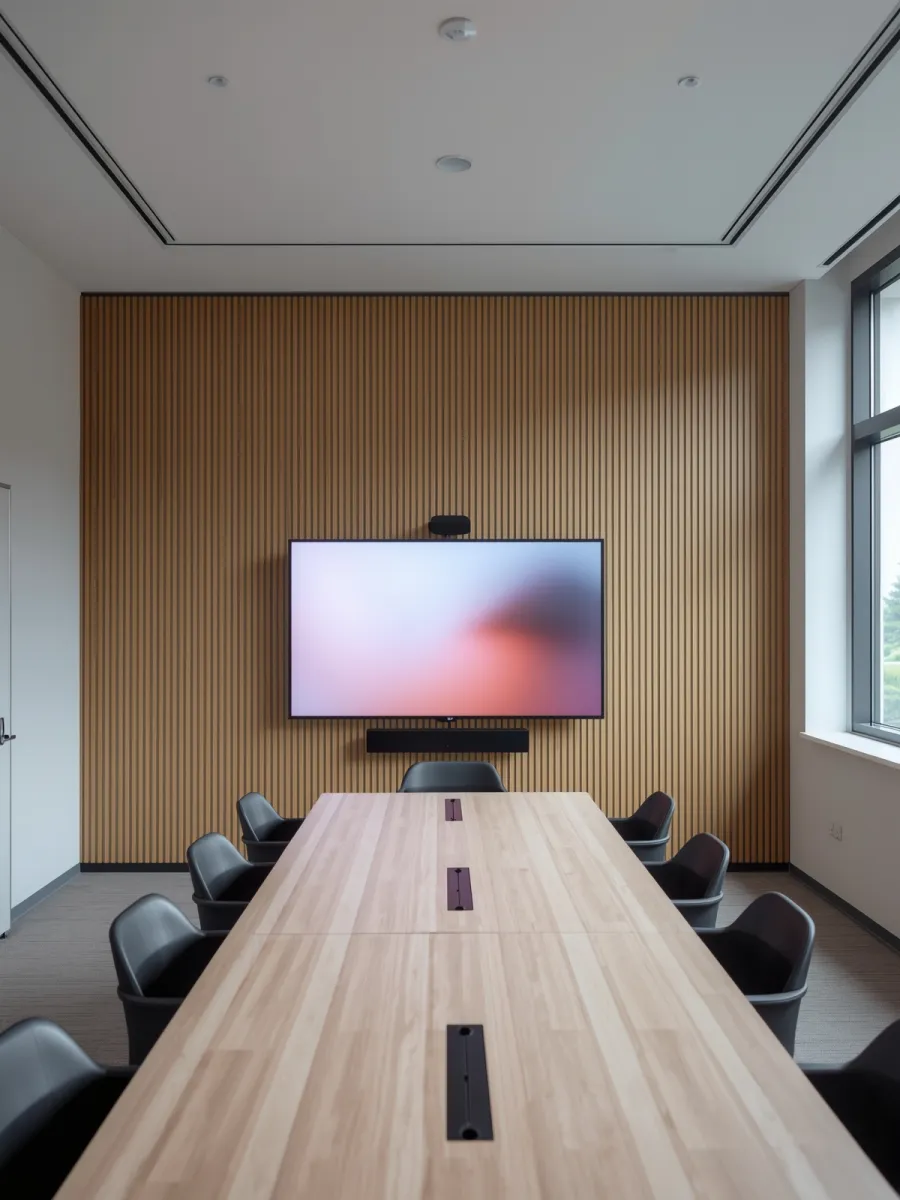
Most rooms need four things: something to show, something to hear, something to see and something to press. That is a display, speakers and microphones, a camera, and a control. Small rooms can use one video bar that combines the camera, microphones and speaker. Larger rooms use separate parts so the sound and picture cover the whole table.
Sizing the room
Room size sets the design. A huddle room for four people needs one display and a video bar. A board room for twelve needs ceiling or table microphones, a camera that follows the speaker, and two displays so remote guests can see the room and the shared screen at once.
- Huddle room: one display, one video bar.
- Mid-size room: a larger display, a camera and ceiling or table microphones.
- Board room: two displays, several microphones, speakers around the room, a touch panel.
Works with the software you use
Rooms are built around Microsoft Teams, Zoom or Google Meet, and the hardware has to be certified for the one you use. We set up the room account, test a real call and teach your team how to share a screen. If people bring laptops, a single USB or HDMI cable at the table connects everything.
Sound, wiring and the network
Bad audio ruins more calls than bad video. We place microphones where they hear people and speakers where they don't feed back. Cables run in the wall or conduit to a small rack, so the table stays clean.
Rooms also depend on the network. A video call needs a wired connection, and the camera and bar often run on a single PoE cable. We can add the drops through structured cabling if the room doesn't have them.
How an install goes
- A walkthrough to measure the room, check walls and ceiling, and ask how you meet.
- A design with equipment, mounting heights and cable paths.
- Install after hours or on a quiet day so meetings aren't interrupted.
- A live test call and training for your staff.
- After the install, we service the room Monday to Friday, 8 AM to 5 PM.
Often paired with
Meeting rooms usually go in with AV control so one panel runs the room, and with digital signage for the lobby or a schedule screen outside the door. Larger rooms may use commercial audio for paging or music. Our other Queen Creek work is on Enzo in Queen Creek.
